 Coldfront
Sign once with your cold wallet
It creates an API key on Hyperliquid's API page. After that, you only need the device to withdraw or to renew the API key.
Sign once with your cold wallet. Then trade in the official Hyperliquid app without connecting it every time.
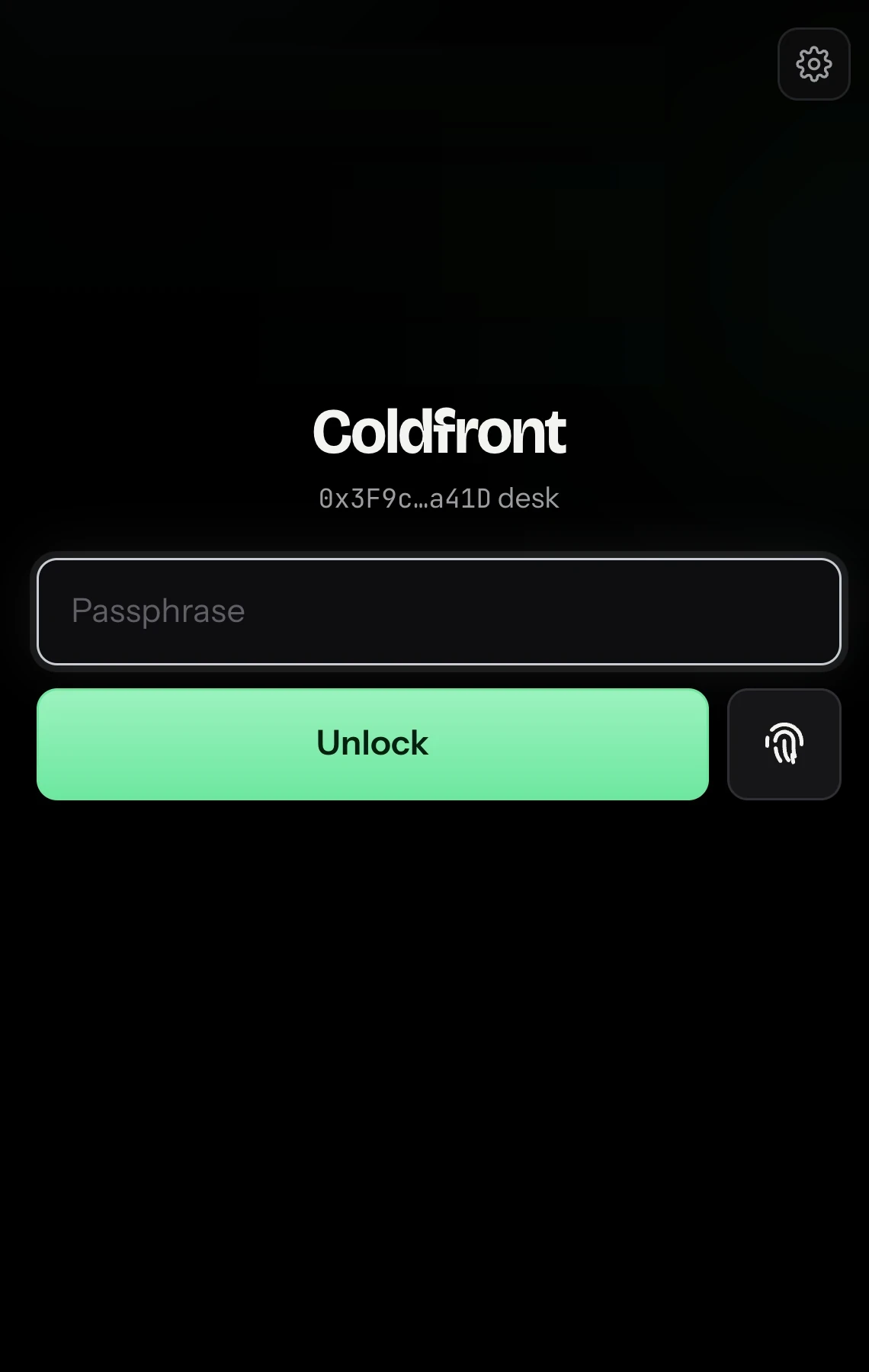
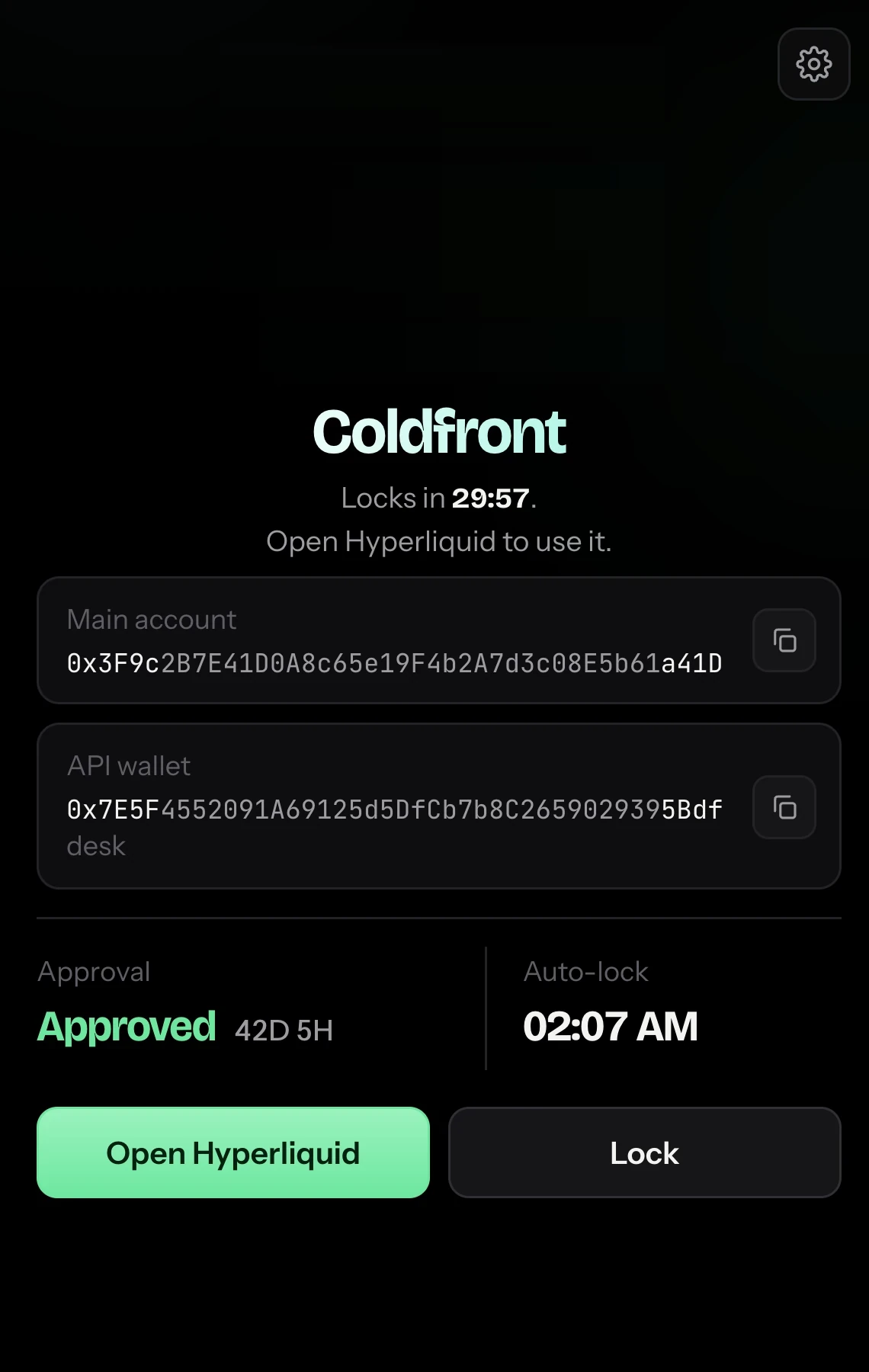
Use your passphrase or Touch ID (passkey). Your cold wallet doesn't need to be plugged in.
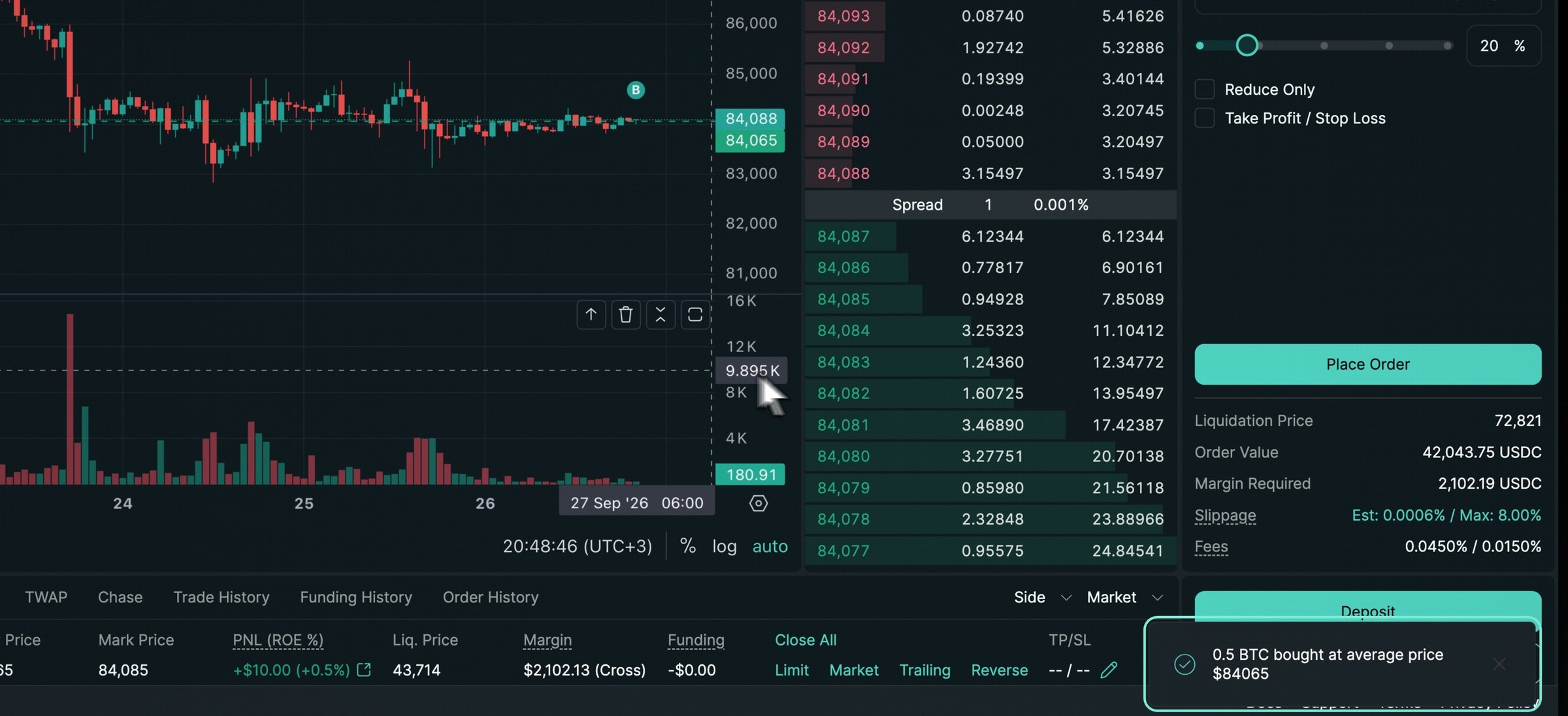
Open Hyperliquid and trade the way you already do. The app places orders with the API key Coldfront gives it.
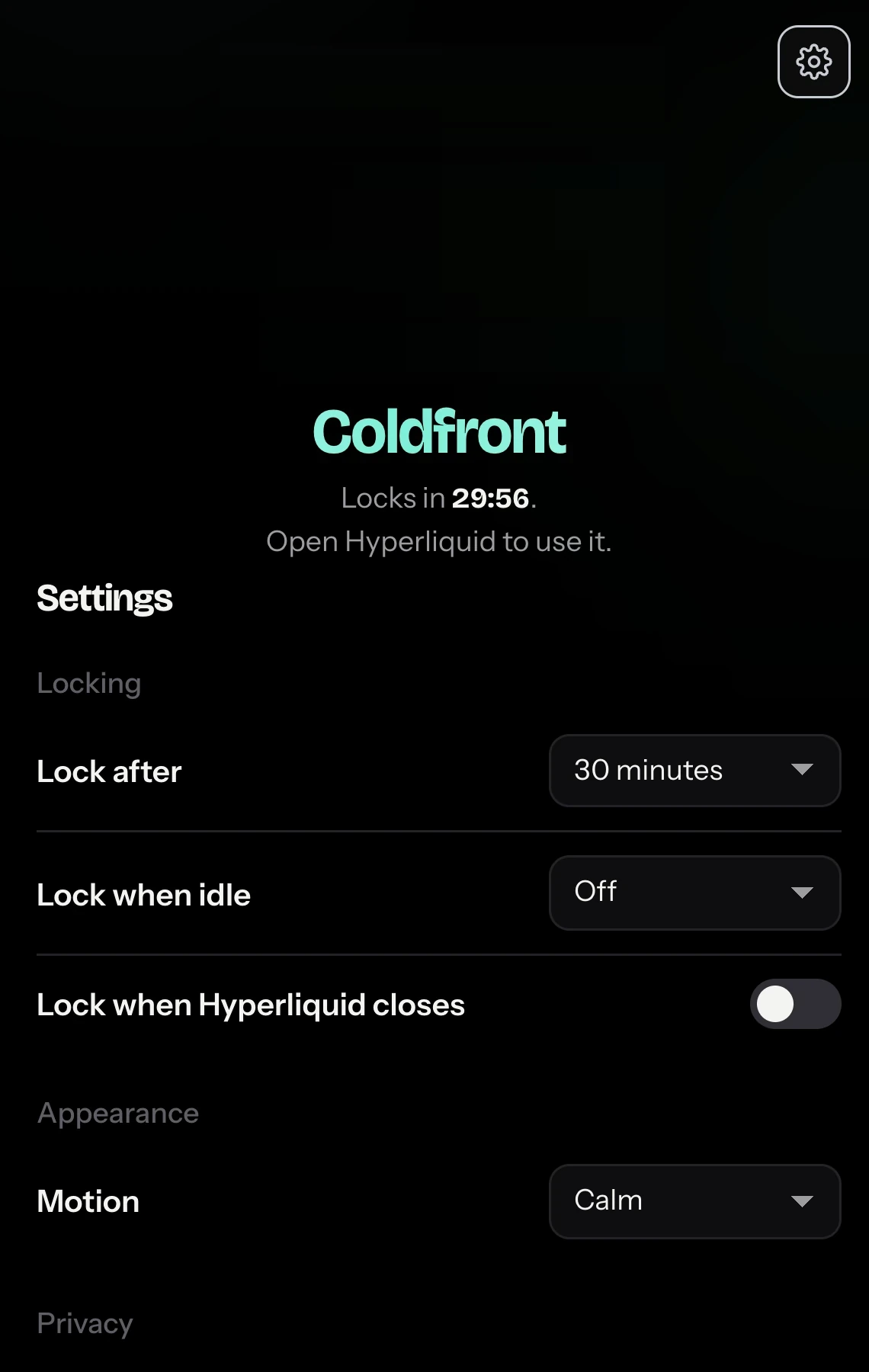
Coldfront locks after the time you choose, when your computer sleeps, or when you close Hyperliquid.

Cold, as in cold wallet. Your funds stay behind a device you keep offline.
Front, as in front end. You trade in Hyperliquid's own app, the same screen you use today.
It creates an API key on Hyperliquid's API page. After that, you only need the device to withdraw or to renew the API key.
Hyperliquid won't let it move money out. If someone ever got hold of it, they couldn't take your funds.
There's no copycat trading screen. You keep using app.hyperliquid.xyz.
Join Hyperliquid with referral code COLDFRONT and your trading fees drop by 4%. Hyperliquid pays us a small share of those fees, and that's how we keep going.
On Hyperliquid's API page, connect your cold wallet, generate an API wallet and authorize it. The private key it shows you is your API key.
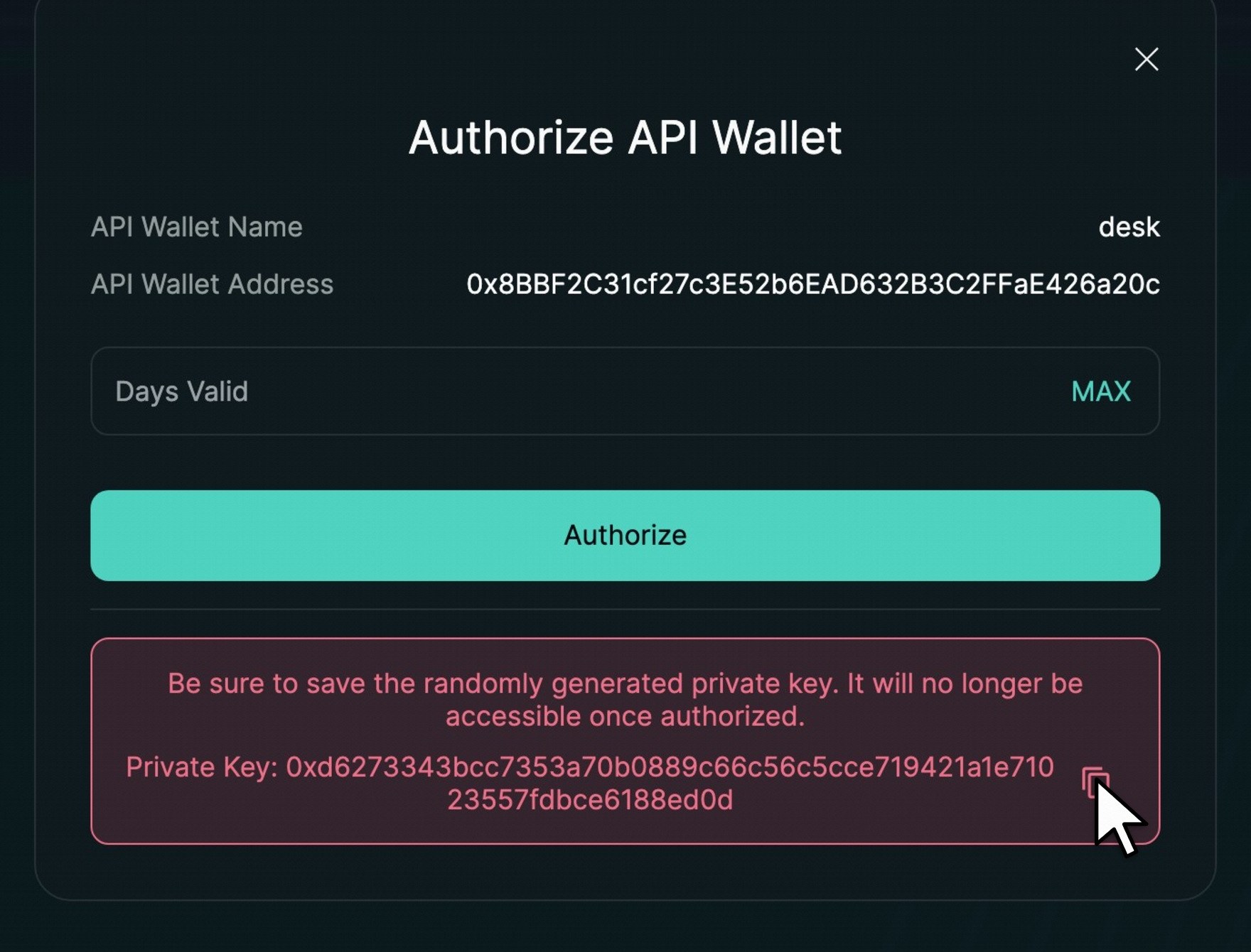
Pick a passphrase, add Touch ID (passkey) if you like, then disconnect your cold wallet and put it away.
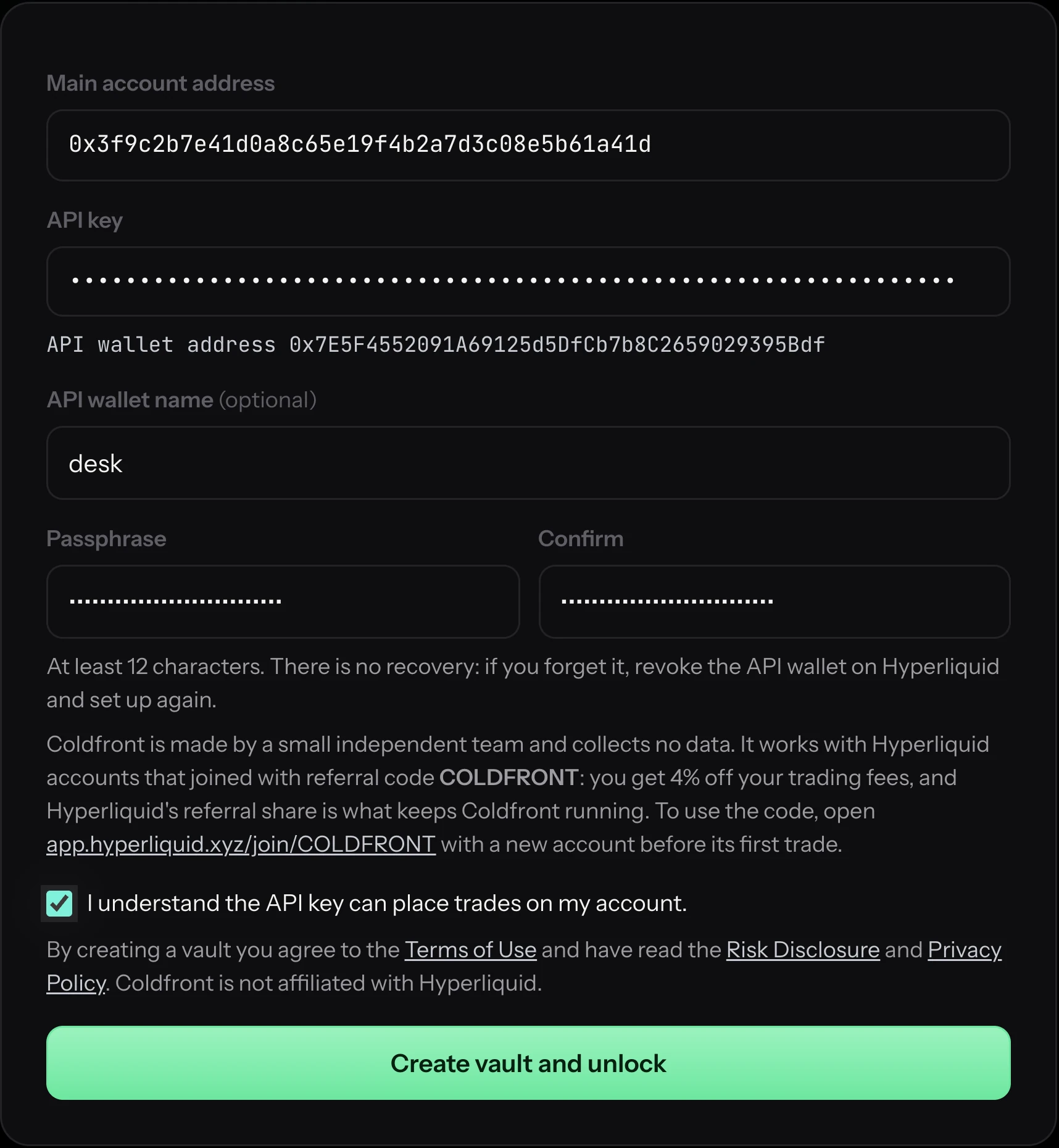
Unlock Coldfront, open Hyperliquid, and trade like you always do.
Your API key is locked with your passphrase using PBKDF2 and AES-GCM, the method MetaMask uses to protect wallets. It runs 600,000 times, so guessing a passphrase takes a very long time.
The API key has its own address, and its balance is zero on-chain and in every Hyperliquid app. Your money stays in your cold wallet's account, and the API key can't withdraw it. It can still trade, so if you ever think it leaked, revoke it on Hyperliquid's API page.
Your wallet never asks you to sign while you trade, and nothing on your computer can move your money out. You just trade.
The extension only talks to Hyperliquid. There are no analytics, no accounts and no servers of ours. It went through six security reviews and 157 automated tests.
We're a small independent team, and the extension collects no data. Coldfront works with Hyperliquid accounts that joined with Hyperliquid referral code COLDFRONT. You get 4% off your trading fees, and Hyperliquid pays us a share of them. That's what keeps Coldfront going.
This code is for Hyperliquid, not for Coldfront. You use it when you join Hyperliquid, and Hyperliquid gives you the discount.
Already traded on your account? Hyperliquid only accepts a code before the first trade, so most people add a second account on their cold wallet. Here's how.
Coldfront is a free Chrome extension that lets you trade on Hyperliquid from your cold wallet's account without connecting the wallet every time. Your cold wallet signs once, on Hyperliquid's API page, to authorize an API key. Coldfront keeps that API key encrypted on your computer and gives it to the official Hyperliquid app when you unlock. Withdrawals still need the cold wallet.
Yes, with Coldfront. The Ledger or Trezor authorizes a Hyperliquid API wallet once. After that you unlock Coldfront with a passphrase or Touch ID (passkey) and trade in the official Hyperliquid app with the device put away. It also works with Keystone, OneKey and other cold wallets.
The API key it holds can trade but can't withdraw, send or transfer: Hyperliquid enforces that. It's encrypted with your passphrase (PBKDF2-SHA256, 600,000 rounds, AES-GCM), the extension only talks to Hyperliquid, and it locks by itself. The API key can still place bad trades, so revoke it on Hyperliquid's API page if you ever think it leaked.
Chrome, Brave, Edge, Arc and other Chromium browsers that install extensions from the Chrome Web Store, on macOS, Windows, Linux and ChromeOS.
For three things: authorizing the API key (it lasts up to 180 days), withdrawals, and moving funds between accounts. For everything else, unlock Coldfront and use the Hyperliquid app as usual.
Any cold wallet that can authorize an API wallet on app.hyperliquid.xyz, such as Ledger, Trezor, Keystone or OneKey, usually through MetaMask or Rabby. Coldfront itself never talks to the device.
Place, change and cancel orders, and let the app show your positions and balances. It cannot withdraw, send, transfer between accounts or approve other wallets. Hyperliquid enforces this, not Coldfront.
It's how we get paid, and it costs you nothing. The code takes 4% off your trading fees, and Hyperliquid pays us a share of the fees. We're a small independent team with no ads and nothing to sell, so that share is what keeps Coldfront running.
Only if it joined with code COLDFRONT. Hyperliquid accepts a code only before an account's first trade. Most cold wallets can add a second account, and you can use that one for trading. The new account guide takes about five minutes.
On your computer, encrypted with your passphrase (PBKDF2 with 600,000 rounds, AES-GCM). It reaches the Hyperliquid tab only while Coldfront is unlocked, and it is removed from page storage as soon as the app has read it.
Every Hyperliquid tab reloads, so the app forgets the API key. Coldfront locks after the time you choose, when the computer is idle or the screen locks, or when the last Hyperliquid tab closes.
No. The extension talks only to Hyperliquid. There are no analytics, no accounts and no servers of ours.
Get Coldfront
Free for Chrome, Brave, Edge and Arc. Have your cold wallet with you for setup. After that, you can put it away.